Stream Badges Guide
Nuvio uses a fully customizable, image and color-based tagging layer for badges that scans each stream's title or filename and displays visual badges on your stream selection screen. Badges are not fixed or built in; they come from a JSON configuration file that you import via a URL.
NOTE
Badges are community-created and fully customizable. The colors, icons, and labels you see depend entirely on the badge set you have imported. Nuvio has no hard-coded badge colors or styles.
How the Badge System Works
When you open the stream selection screen, Nuvio reads the title text returned by your addon for each result. It then runs each title through a list of regex patterns defined in your badge JSON. When a pattern matches, Nuvio displays the corresponding badge image and color next to that stream entry.
The badge JSON is hosted at a URL (e.g., on GitHub) and imported once into your Nuvio settings. You can import up to 3 separate badge JSON URLs simultaneously, allowing you to layer badge sets from multiple sources.
Setting Up Badges
Where to find the setting
Navigate to one of these locations depending on your Nuvio version:
- Mobile: Settings → Streams → Fusion badge URLs
- TV: Settings → Layout → Streams → Fusion badge URLs
How to import
- Obtain a badge JSON URL (see Community Badge Sets below).
- Open Nuvio and go to the Fusion badge URLs field in settings.
- Paste the direct URL to the
.jsonfile. - Press Import.
- You should see a confirmation such as
1/3 URLs imported.
TIP
Always use the raw GitHub/Gist URL for badge JSON files. The URL should start with https://raw.githubusercontent.com/... — not the standard GitHub page URL, which returns HTML, not the JSON content.
Community Badge Sets
These are the most widely used and recommended badge configurations in the Nuvio community. If you prefer not to import a raw URL directly, see the Badge Editor Tools section below for web-based tools that let you browse, preview, and customize these sets visually.
NardBadges
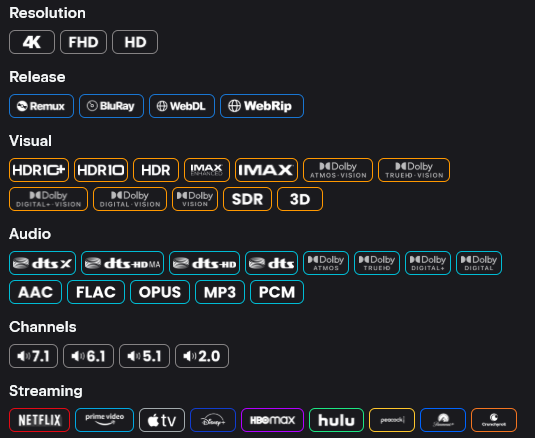
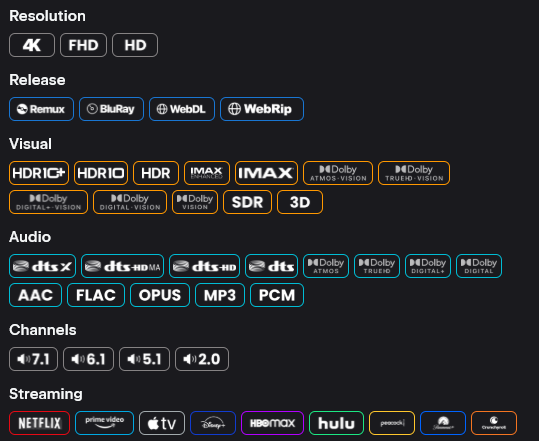
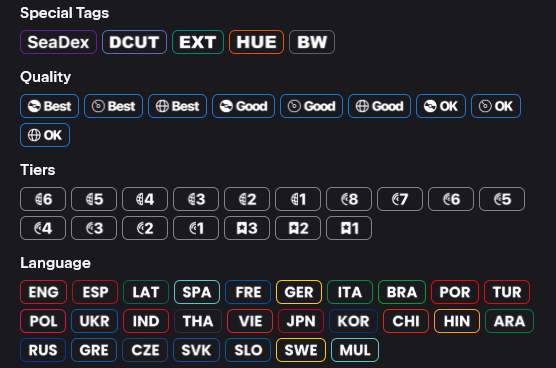
A comprehensive set of 100+ badges covering Resolution, Quality, IMAX, Visual (HDR), Audio, Channels, Encoder, and Language categories — maintained by vowl313.
| Variant | URL |
|---|---|
| NardBadges (full set with tier styling) | https://raw.githubusercontent.com/vowl313/NardBadges/refs/heads/main/NardBadges.json |
| NardBadges Slim (without tier indicators) | https://raw.githubusercontent.com/vowl313/NardBadges/refs/heads/main/NardBadges_Slim.json |
Preview:
| Full Set (with Tier) | Slim Set (no Tier) |
|---|---|
 |  |
 | 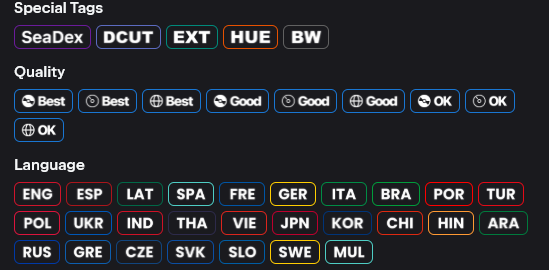 |
The NardBadges repository also includes recommended Name and Description formatter templates to pair with the badges. Check the NardBadges GitHub README for the latest formatter strings.
BetterFormatter
A highly configurable badge and formatter toolkit with 32 preset variants covering colored and monochrome styles across multiple layout modes — maintained by 9mousaa. Also includes a web-based configurator for generating custom presets.
BetterFormatter presets follow a naming convention: {style}-{layout}-{mode}-{dv}.json
- Style:
colored(category-based colors) ormono(monochrome) - Layout:
bgb(badge-based),pct(percentage),src(source),tier(tier-based) - Mode:
combo(combined) orsep(separated) - DV handling:
always(always show DV badge) ornodv(hide DV badge)
| Variant | URL |
|---|---|
| Colored Badge Combo (no DV) | https://raw.githubusercontent.com/9mousaa/BetterFormatter/main/presets/colored-bgb-combo-nodv.json |
| Colored Badge Combo (always DV) | https://raw.githubusercontent.com/9mousaa/BetterFormatter/main/presets/colored-bgb-combo-always.json |
| Mono Badge Combo (no DV) | https://raw.githubusercontent.com/9mousaa/BetterFormatter/main/presets/mono-bgb-combo-nodv.json |
| Mono Badge Combo (always DV) | https://raw.githubusercontent.com/9mousaa/BetterFormatter/main/presets/mono-bgb-combo-always.json |
Preview:
| Colored Style | Mono Style |
|---|---|
Always DV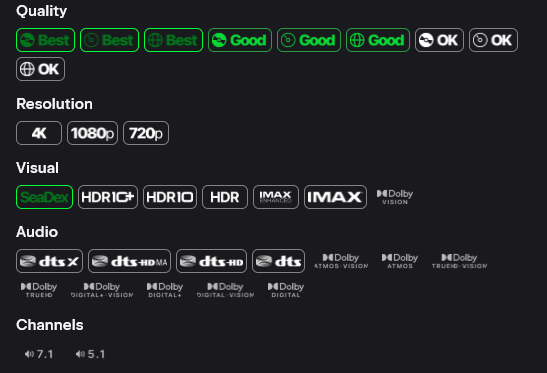 | Always DV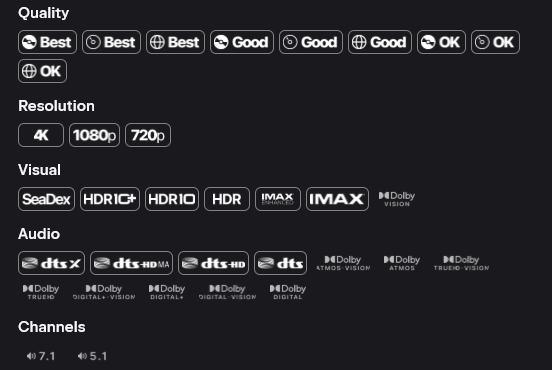 |
No DV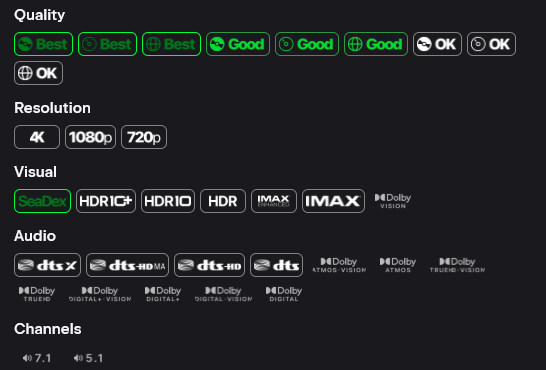 | No DV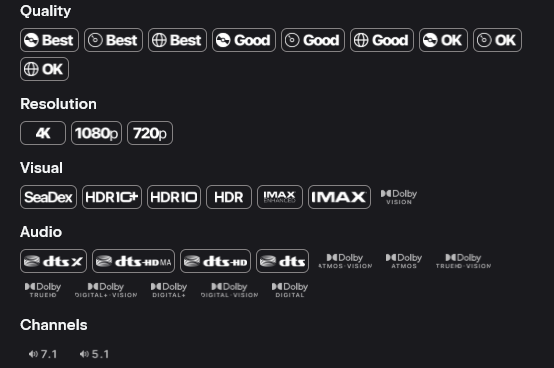 |
TIP
The above table shows the most popular variants. See the BetterFormatter GitHub for the full list of 32 presets, or use the BetterFormatter Configurator to build a custom set.
Elite Badges
A polished badge set for Nuvio with a premium look — maintained by leonevz.
| Variant | URL |
|---|---|
| Elite Badges | https://raw.githubusercontent.com/leonevz/Elite-Badges/main/badges.json |
Preview:
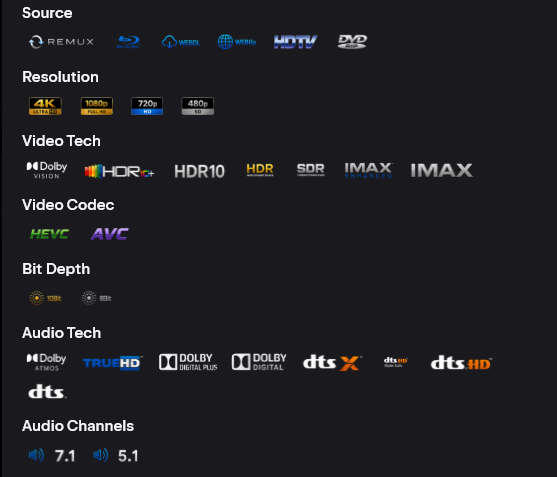
GitHub: leonevz/Elite-Badges
Minimalist Badges
A clean, icon-based badge set designed for the Nuvio Android TV app with a focus on readability — maintained by sweatycab. Includes AIOStreams formatter templates with invisible Unicode tokens for reliable dynamic range detection.
| Variant | URL |
|---|---|
| Minimalist White | https://raw.githubusercontent.com/sweatycab/nuvio-minimalist-badges/main/badges-white.json |
| Minimalist White (no codecs) | https://raw.githubusercontent.com/sweatycab/nuvio-minimalist-badges/main/badges-white-no-codecs.json |
| Minimalist Mixed (color) | https://raw.githubusercontent.com/sweatycab/nuvio-minimalist-badges/main/badges-mixed.json |
| Minimalist Mixed (no codecs) | https://raw.githubusercontent.com/sweatycab/nuvio-minimalist-badges/main/badges-mixed-no-codecs.json |
Preview:
| Minimalist White | Minimalist White (No Codecs) |
|---|---|
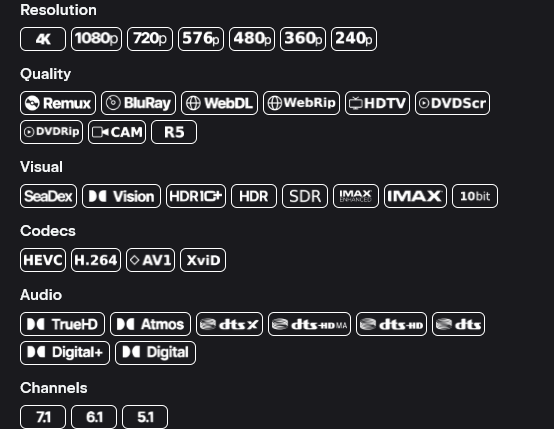 | 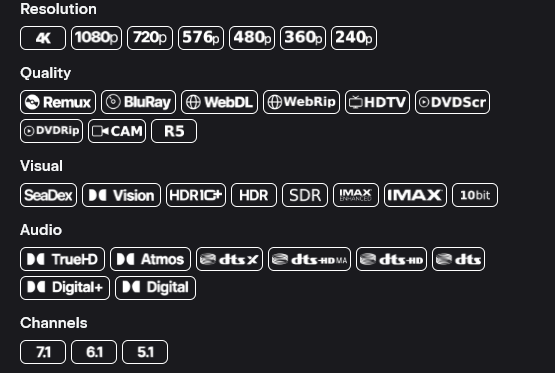 |
TIP
The Minimalist set works best when paired with the included AIOStreams formatter templates. See the repository README for the matching title-template.txt and description-template.txt files.
Badge Editor Tools
Don't want to manually paste raw JSON URLs? These community-built web tools let you browse, customize, preview, and export badge configurations visually.
| Tool | Description |
|---|---|
| Badger | The most popular badge editor — browse community templates, toggle individual badges, change colors and images, preview against real titles, and generate a shareable JSON URL. (GitHub) |
| BetterFormatter Configurator | Build custom BetterFormatter presets with a visual editor — choose style, layout, mode, and DV handling. |
What Badges Display
The badge system recognizes metadata parsed directly from stream titles. Badges are typically organized into these categories:
| Category | Examples |
|---|---|
| Resolution | 4K, 2K, FHD, HD, 576p, 480p, 360p, 240p, 144p |
| Quality / Source | Remux, BluRay, WebDL, WebRip, HDRip, HC HDRip, DVDRip, HDTV, SCR, TC, TS, CAM |
| IMAX | IMAX Enhanced, IMAX |
| Visual / HDR | Dolby Vision, HDR10+, HDR10, HDR, SDR, 10bit, HLG, AI |
| Audio | ATMOS / TrueHD, DTS:X / DTS-HD MA, ATMOS / DD+, TrueHD, DD+, DD, DTS-HD MA, DTS-HD, DTS-ES, DTS, FLAC, OPUS, AAC |
| Channels | 7.1, 6.1, 5.1, 2.0, 1.0 |
| Encoder | AV1, HEVC, AVC, XviD, DivX |
| Language | Various language flags depending on the badge set |
Badges are only displayed if the stream title contains text that matches the badge's regex pattern. If your addon does not include quality information in stream titles, badges may not appear.
Badge Priority Hierarchy
When a stream title matches multiple badges in the same category, Nuvio uses a priority hierarchy to determine which single badge to display. The hierarchy shown below is the order in which Nuvio will select the displayed badge — the first match wins.
Resolution
4K → 2K → FHD → HD → 576p → 480p → 360p → 240p → 144pQuality / Source
Remux → BluRay → WebDL → WebRip → HDRip → HC HDRip → DVDRip → HDTV → SCR → TC → TS → CAMIMAX
IMAX Enhanced → IMAXVisual / HDR
Dolby Vision  ─┐
HDR10+        ─┘→ HDR10 → HDR → SDR

10bit → HLG → AI (separate track)Audio (Dolby track)
ATMOS / TrueHD → ATMOS / DD+ → TrueHD → DD+ → DDAudio (DTS track)
DTS:X / DTS-HD MA → DTS-HD MA → DTS-HD → DTS-ES → DTSAudio (Other)
FLAC → OPUS → AACChannels
7.1 → 6.1 → 5.1 → 2.0 → 1.0Encoder
AV1 → HEVC → AVC → XviD → DivXNOTE
This hierarchy is determined by the order of entries in your badge JSON file. Badge sets like NardBadges are already ordered correctly. If you build a custom set, place higher-priority badges earlier in the filters array.
Creating Custom Badges
If you prefer to write your own badge JSON, Nuvio uses the following schema:
{
  "filters": [
    {
      "id": "unique-badge-id",
      "groupId": "resolution",
      "name": "4K",
      "pattern": "(?i)\\b(4k|2160p|uhd)\\b",
      "imageURL": "https://example.com/badges/4k.png",
      "tagColor": "#33FFFFFF",
      "borderColor": "#FFAAAAAA"
    }
  ]
}| Field | Description |
|---|---|
id | A unique string identifier for this badge entry. |
groupId | The category group (e.g., resolution, audio, visual). Only one badge per group is shown per stream. |
name | The display label used for accessibility and fallback text. |
pattern | A regex pattern matched against the stream title. Use (?i) for case-insensitive matching. |
imageURL | A direct URL to the badge image (PNG recommended). |
tagColor | Background color in #AARRGGBB format (alpha first). |
borderColor | Border color in #AARRGGBB format (alpha first). |
TIP
Colors in the JSON use Android's #AARRGGBB format — the first two hex digits are alpha (opacity), not the standard web #RRGGBB. For example, #FF0877F9 is fully opaque Nuvio blue, while #330877F9 is 20% opacity blue.
IMPORTANT
The groupId field controls badge exclusivity. Only one badge per groupId is shown per stream entry. Badges within the same group compete based on their order in the filters array — the first match wins. Place higher-priority badges earlier in the list.
Troubleshooting
| Problem | Solution |
|---|---|
| Badges not appearing after import | Ensure you are using the raw GitHub URL (starts with raw.githubusercontent.com). |
| Fusion badge URLs field disappears after saving | Known bug — import the URL and exit without pressing Save. |
| Badges showing but wrong priority | The badge set's filters array order controls priority. Re-order entries or use Badger to adjust. |
| No badges on streams from a specific addon | The addon may not include quality metadata in stream titles. Check the addon's output format. |
| Badges look different from screenshots | Badge appearance depends on the set you imported. Colors and icons are fully customizable — different sets look different. |
Helpful Resources
| Resource | Description |
|---|---|
| Badger | Community web tool for creating and editing badge JSON without coding. |
| Badger GitHub | Source code and documentation for the Badger tool. |
| NardBadges GitHub | Popular 100+ badge set with full and slim variants, plus formatter templates. |
| Colorful & Concise GitHub | Bulletproof badges with streaming platform branding and AIOStreams formatter. |
| BetterFormatter GitHub | 32 preset variants with colored/mono styles and a web configurator. |
| BetterFormatter Configurator | Web tool for building custom BetterFormatter badge presets. |
| Elite Badges GitHub | Premium-styled badge set by leonevz. |
| Minimalist Badges GitHub | Clean icon-based badges with AIOStreams formatter templates. |
| r/Nuvio | Community discussion — find new badge sets and formatter templates shared by other users. |
| Nuvio Discord | Live community help for badge configuration questions. |